How I rid my life of social media
If social media is working for you and you don’t care about the moral implications of using social media, then this post isn’t for you.
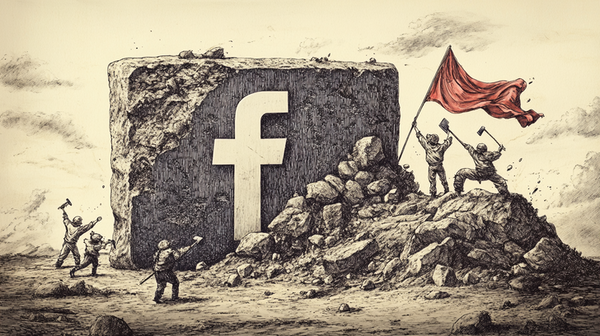
On the other hand, if the MAGA shift of social media, the love fest between Zuck, Musk, and Tr*mp and their slimey ilk makes you feel a little cringey. Or if you realize that you’re wasting countless minutes of your one wild and precious life, then this may be for you. Fair warning, it gets pretty technical; so stop wherever you want. It takes little more than a decision and a healthy dose of willpower. But if you want to block social media and cast it into the fires of Mt. Doom, here’s how.
Step 1 - I made the the decision to leave social media
This is a consequential decision, one that you should consider carefully. I quit for several reasons:
- Privacy, security and the basic human freedom to be left alone - As Shoshana Zuboff details in “The Age of Surveillance Capitalism”, companies like Meta have transformed our personal experiences into raw material for behavioral data markets. Mark Zuckerberg once said, “Senator, we run ads,” when questioned about Facebook’s business model, but this barely scratches the surface. These platforms operate within a far-reaching system that thrives on extracting, repurposing, and commodifying the “digital exhaust” of your browsing activities, turning you into a predictable and manipulable product.
- Time - Do you know that negative feeling that arises when you find yourself scrolling social media? Some would call it “cringey”; and it’s something between shame and regret. When I really began to pay attention to my feelings while scrolling social media, I found that the overall feelings that it left were negative, mostly regret over having used my time in this way.
- The moral dimension - You are supporting billionaires owners like Mark Zuckerberg (Meta/Facebook/Instagram/WhatsApp) and Elon Musk (Twitter/X) who appear to be amoral accumulators of wealth and power. Both have aligned themselves with an anti-democratic, autocratic political movement. I’m not fine with that.
I had long ago quit Twitter when even before the first Tr*mp Administration and before Musk purchased it, when it had already become a cesspool of extremism. And when Instagram became something more than a place to share interesting pictures, it didn’t hold much appeal to me. Remember how upset people became when they announced plans to show videos on Instagram? How times change…
Step 2 - I decided to just leave
I just left a post on Facebook about Zuckerberg’s new-found love of Tr*mp and asked “Who all’s OK with this?” then I signed off. It has been a week. People who matter to me and to whom I matter will know how to contact me. I suppose I will circle back and start deleting content so Meta has less to mine. But it’s too much trouble right now. When I eventually do that, I’ll leave a pinned post with my contact information and basically saying: “Hi, I’m not here any longer; if you ever want to reach me again, copy down this contact information.” After that, I’ll wait a few weeks then I’ll burn it down.
But you may want to do it differently and make a more graceful exit.
Step 3 - I blocked the hell out of social media
Here’s where it gets a little technical.
Blocked social media locally on macOS
I use Little Snitch to observe traffic in and out of my desktop macOS machines; and a few years ago I began building rules in a group called “Block Social Spies” that block outgoing traffic to Facebook and other social media sites. When I wanted to browse Facebook, I would have to manually switch groups to deactivate these rules. It created just a little barrier to prevent me from wasting too much time on these sites.
But the desktop solution only worked, well, on the desktop. What about the phone?
Deleted the phone apps
Facebook app? Gone. Instagram app? Deleted. Twitter/X app? Buh bye. All of them gone.
But what about the mobile web which on the phone can often still allow some limited access to these social media sites? Keep reading.
Spun up my own DNS server
A DNS server is like a phonebook for the internet. When you type in a website name like “google.com”, the DNS server translates that human-readable domain name into the numerical IP address (like 172.217.3.110) that computers use to find and connect to each other.
Here’s the basic process:
- You enter “google.com” in your browser
- Your computer asks a DNS server “What’s the IP address for google.com?”
- The DNS server looks up that information in its records
- It returns the correct IP address to your computer
- Your computer can then connect directly to that IP address
Without DNS servers, we’d have to memorize IP addresses for every website we want to visit. DNS servers make the internet much more user-friendly by handling these translations automatically.
Since DNS servers are critical to the functioning of the web, it gives us an opportunity to intervene on what gets looked up. What if we had a DNS server that “forgot” the IP addresses for social media sites, but remembered everything else? What if this DNS server was under our control and not Google’s; so that we could choose what lookups to block and which ones to pass on to the real DNS server? Well, that’s what PiHole does. By running PiHole on a server inside your network (almost any old spare computer will do), you can have your own DNS server to customize however you want. Typically PiHole is used to block tracking and ad delivery sites but you can use it to effectively block social media sites, too. After spinning up your instance of PiHole, you just have to give its IP address as the DNS address on all the devices on your network that you want protected, include, of course your phones.
Through a combination of blocks at both the DNS level and the local network stack on my macOS devices, I have successfully eliminated this surveillance and MAGA menace from my life. I’m not on Bluesky either because I don’t trust them (yet) to not sell-out to capitalist usurpers. We’ll see. Friendship and community should not be held hostage to private surveillance networks.